

Submit a Support Request
You can create support tickets for your questions, requests, or issues via the Solution and Support Center.
Register on Nildesk
To submit a request, you must first register on Nildesk. The required information includes:
- First Name
- Last Name
- Email Address
- Phone Number
- Domain Name
For the Domain Name field, enter your website domain. Example:
my-website.com
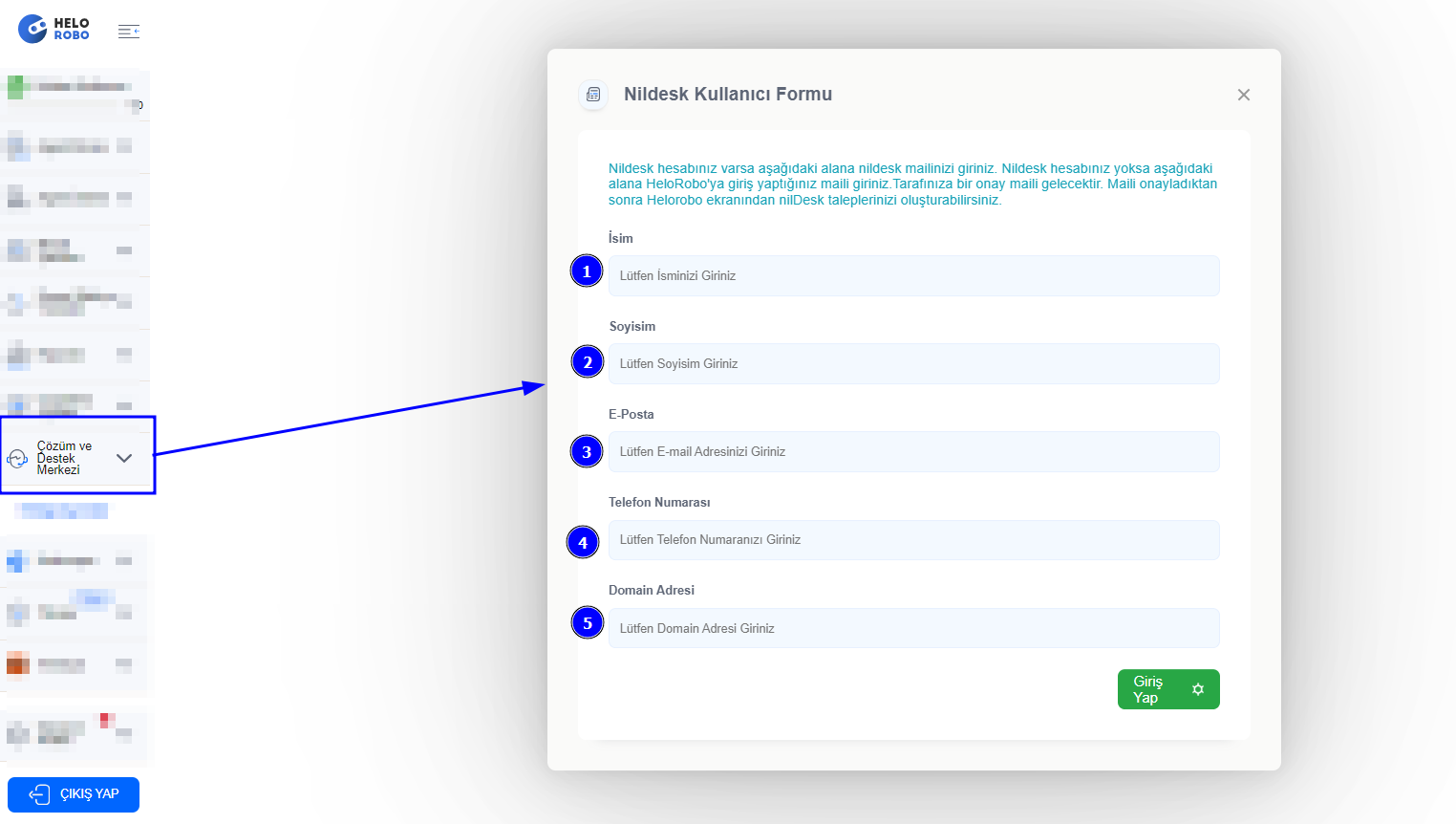
After filling in the details, click the "Login" button.
Email Verification
A verification email will be sent to the email address you provided.
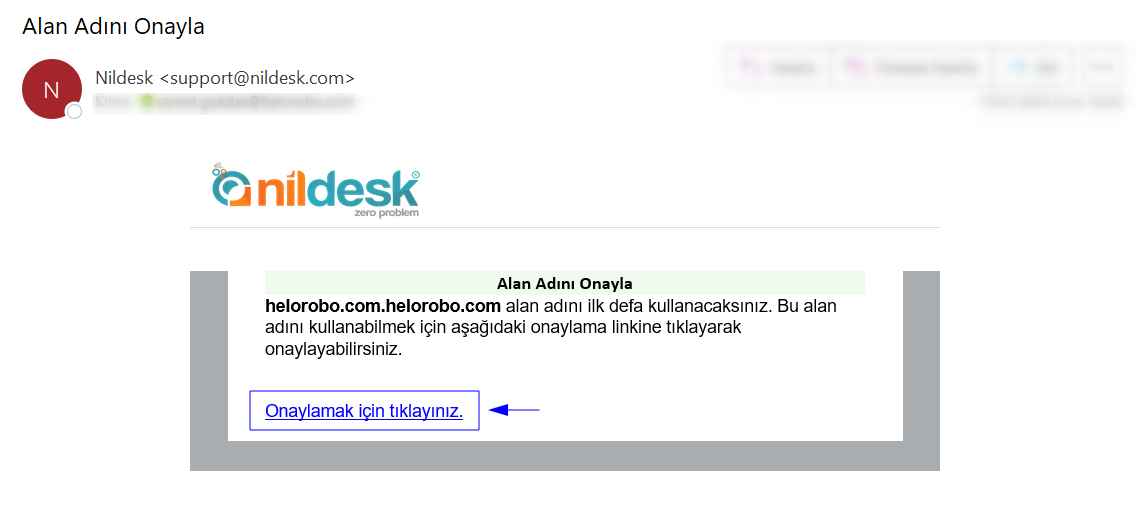
Click the link in the email to complete your registration.
Nildesk
Once the steps above are completed successfully, you can now create a new support ticket or view your existing tickets via Nildesk.
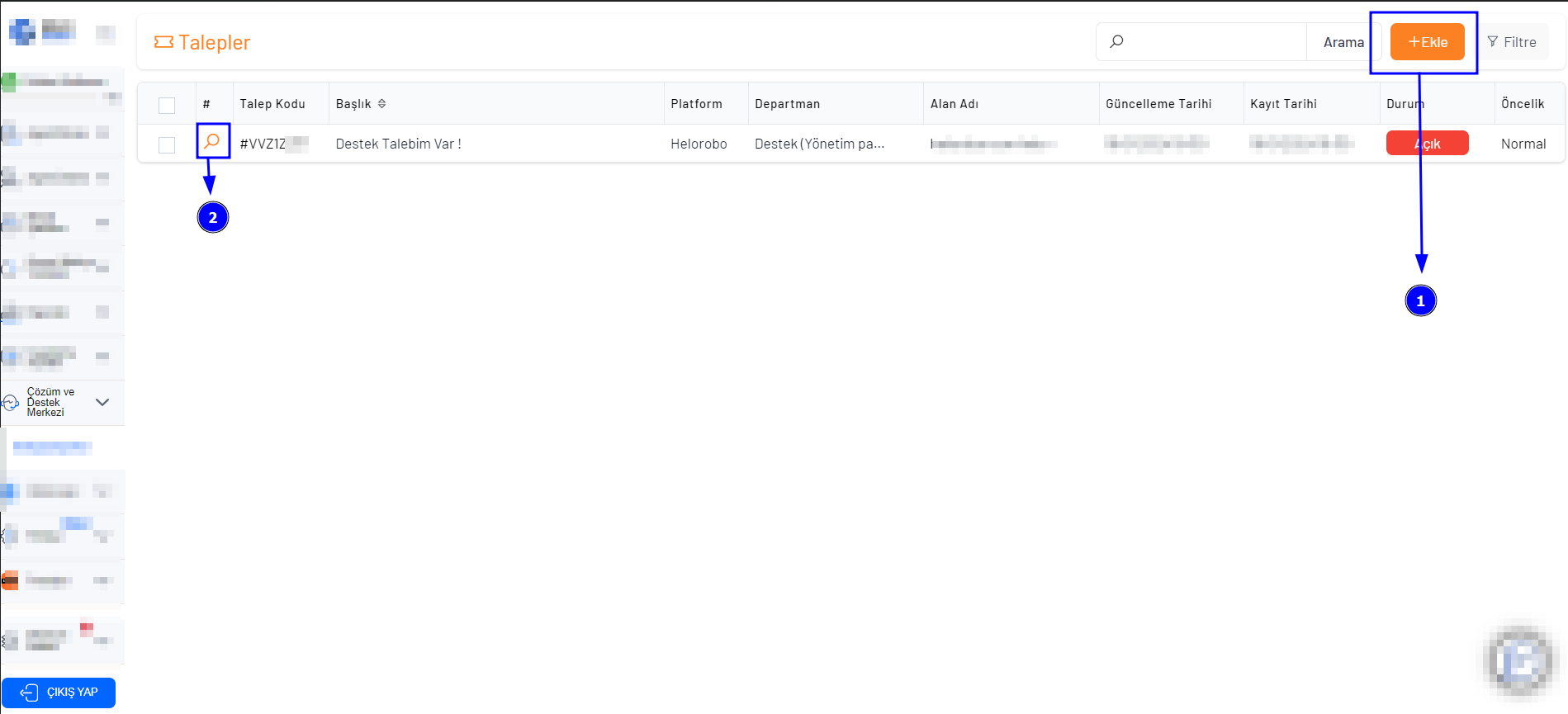
- Create a New Ticket
- View Existing Ticket Details
Submit a Request
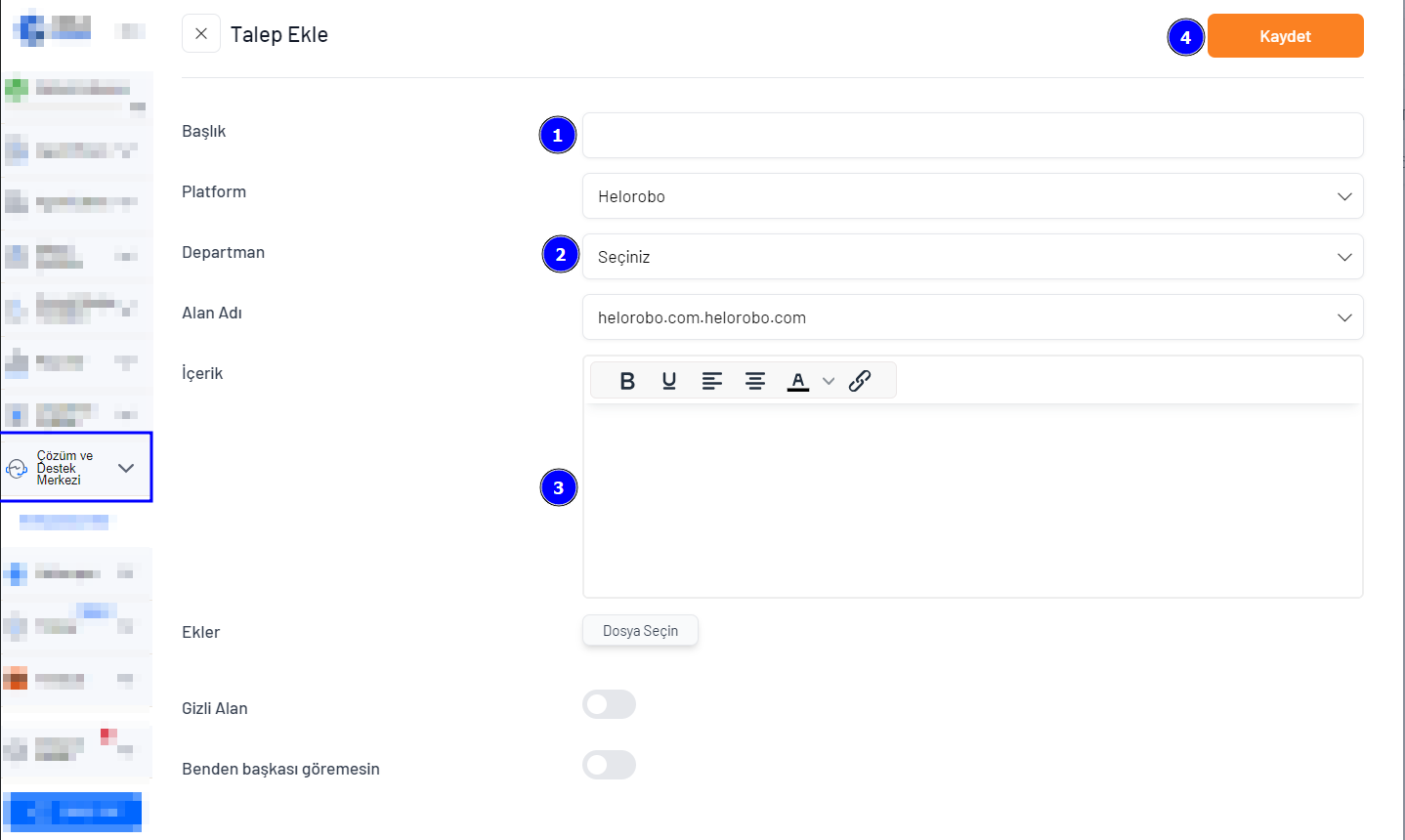
Click the "Add" button to open the ticket creation screen. You’ll be asked to provide the following:
- Subject
- Department
- Message content (detailed explanation of the issue)
NOTE:
You can add screenshots or documents related to your request via the Attachments field (if applicable).
Once submitted, your request will be sent to our relevant team. You will receive a response as soon as possible.
You can monitor the status or responses via the Nildesk main dashboard. A copy of the response will also be sent to your registered email.
We’re Here to Help
If you have any questions or need assistance, you can reach us via:
📧Email: support@helorobo.com
📞WhatsApp & Call Center: 0850 241 88 88