

Automatic Chat Assignment
Automatic chat assignment is a feature used to optimize customer service operations and provide faster responses to customer requests. This feature automatically routes incoming chats to appropriate operators based on predefined rules.
Automatic Assignment Settings
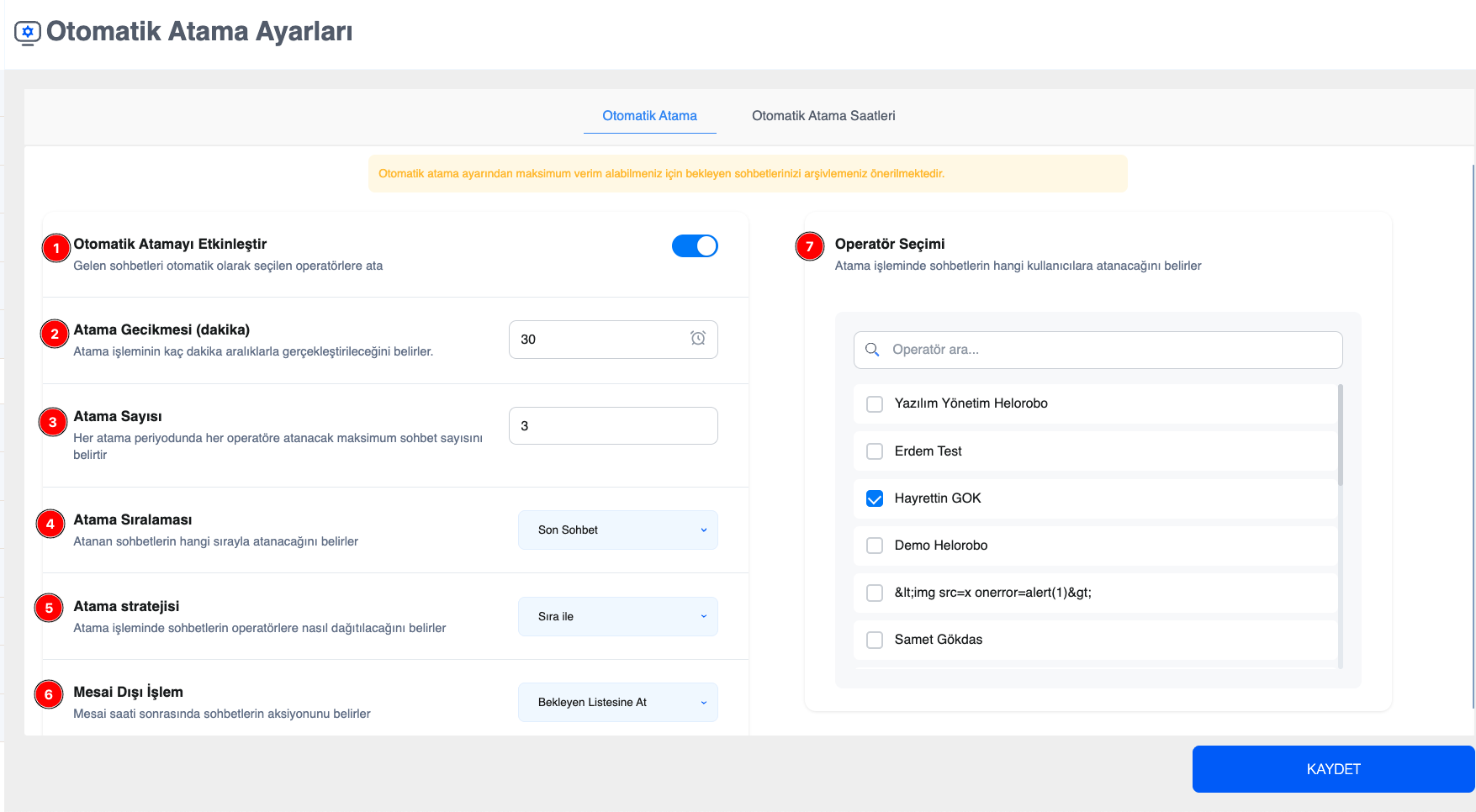
Enable Automatic Assignment: Allows new or waiting chats entering the system to be assigned automatically.
Assignment Delay (minutes): Determines how often the automatic assignment process runs. Based on the time entered here, the system checks waiting chats at specified minute intervals and assigns them to suitable operators.
Assignment Limit: Determines the maximum number of chats that can be assigned to a single operator in each assignment cycle. This prevents an operator from receiving too many chats in a short time and ensures balanced workload distribution.
Assignment Order: Determines the priority according to which waiting chats are assigned. When “Latest Chat” is selected, the most recently received chats are assigned first. When “First Chat” is selected, the oldest chat in the waiting list is assigned first.
Assignment Strategy: Determines the distribution logic used to assign chats to selected operators. With the “Round Robin” option, chats are distributed sequentially among operators, ensuring fair allocation.
After-Hours Action: Determines which list the chats assigned to operators will be moved to after the end of working hours defined in the Automatic Assignment Hours tab. When “Waiting Chats” is selected, chats are moved back to the Waiting Users list; when “Archive” is selected, they are moved to the Archived Users list.
Operator Selection: Specifies the operators to be included in automatic assignment. The selected users receive chat assignments according to the rules defined above. Operators who are not selected are excluded from the automatic assignment process.
When these settings are used together, operational efficiency is increased by ensuring that waiting chats are distributed to the right operators, in the right numbers, and at the right time.
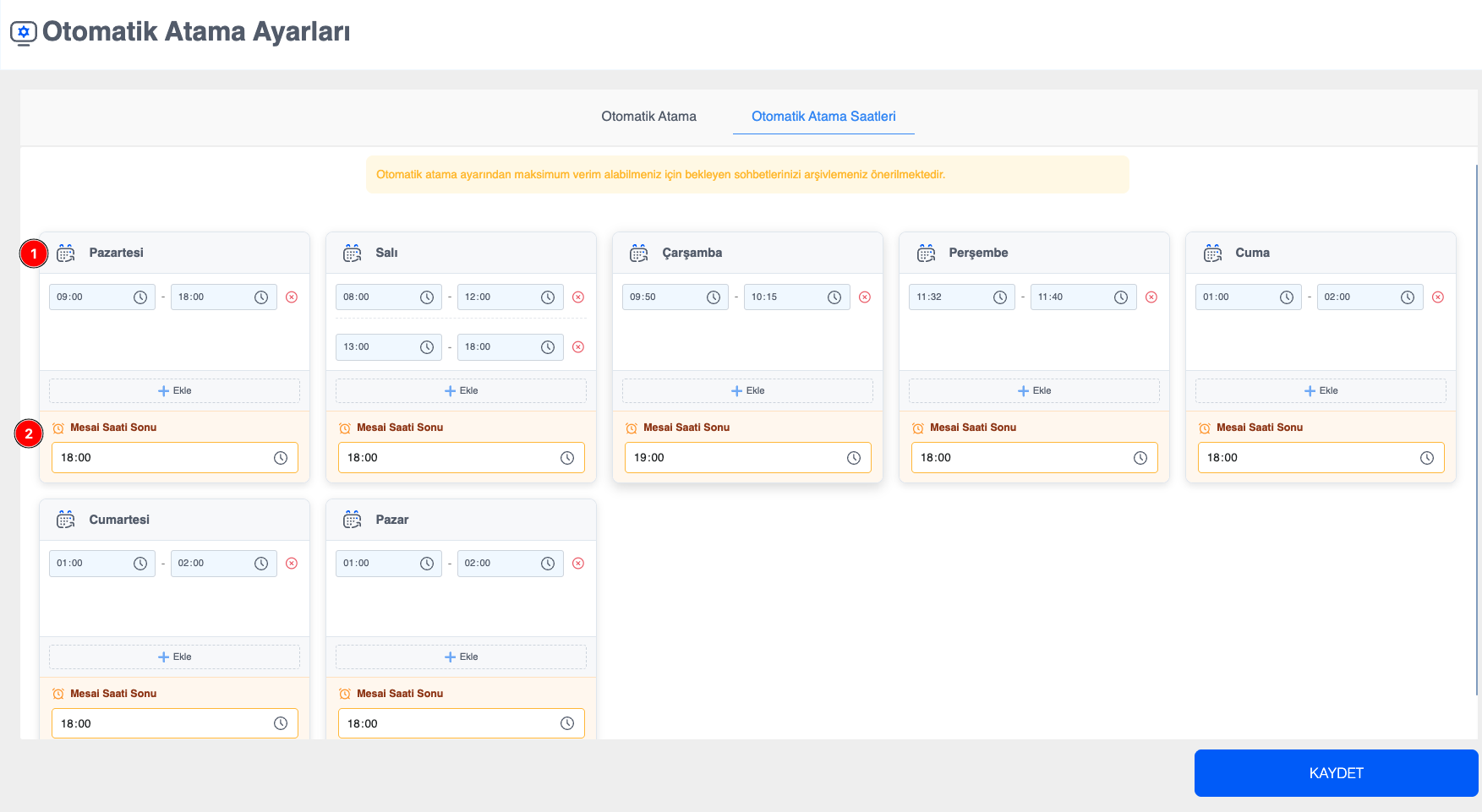
Assignment Time Selection: Assignment hours can be defined specifically for each day of the week. By adding multiple assignment intervals within a day, flexible shift plans can be created. This ensures that waiting chats are automatically assigned only during defined time periods, making the operation more efficient.
End of Shift Time: The end-of-shift time is defined. At the selected time, the action defined in the After-Hours Action setting is executed.
NOTE :
To get maximum efficiency from the automatic assignment settings, it is recommended to archive chats if you have a large number of waiting conversations.