

How Can I Back Up My WhatsApp Chats?
You can back up all of your past chats, messages, and media on HeloRobo to your Google Drive account. Backups are date-based, so you can choose the period whose data you want to back up.
Why Should I Back Up?
On HeloRobo, your media is stored covering the last 6 months. We recommend backing up regularly to keep your data for longer. For details, see the Data Retention Policy page.
1- Go to the Google Drive Backup Page
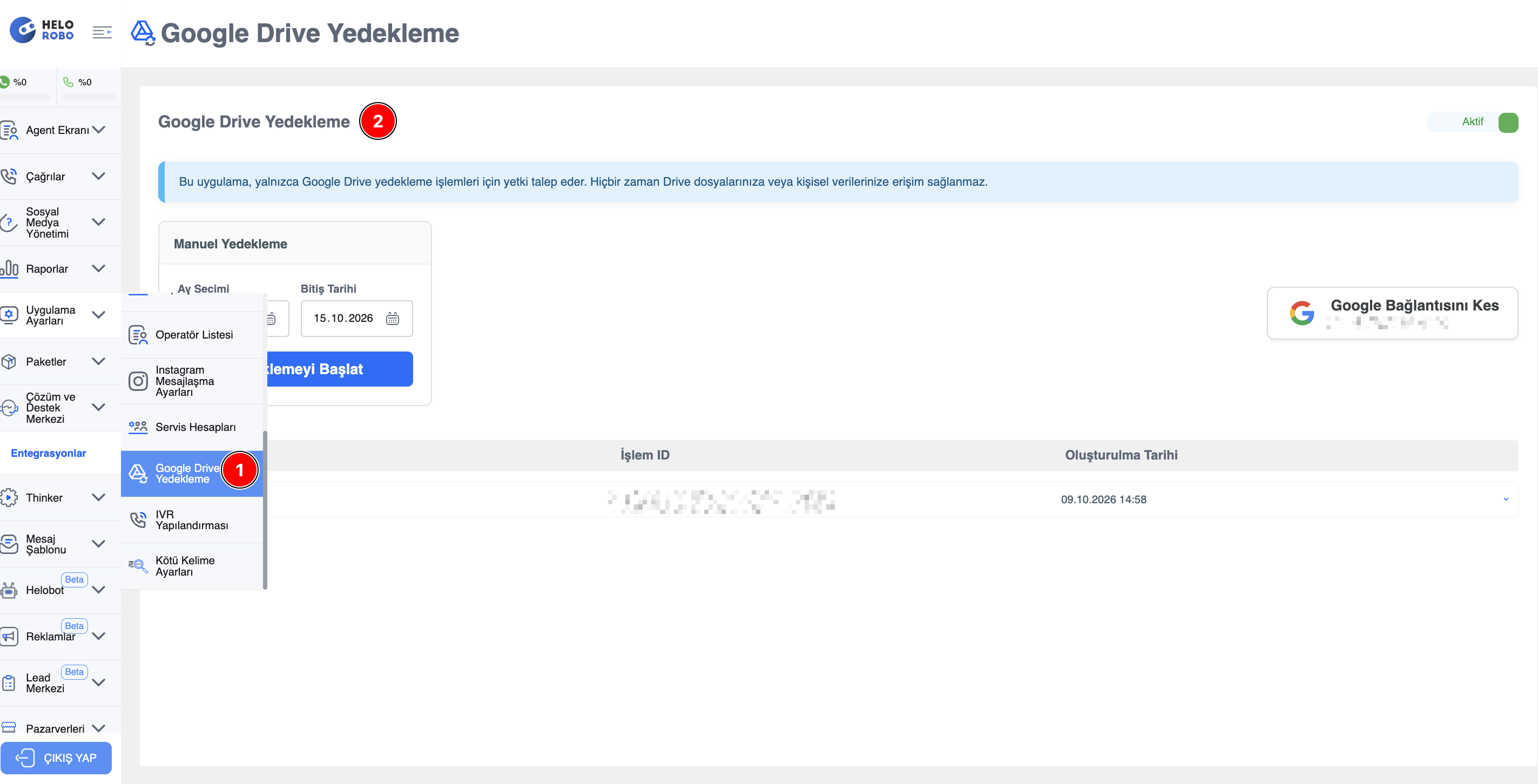
From the left menu, open App Settings > Google Drive Backup.
2- Connect Your Google Account
Connect and authorize the Google account where your backups will be saved. Once the connection is complete, the status in the top-right corner of the page shows Active and your chats start being backed up to Google Drive automatically.
Security
The app only requests permissions for Google Drive backup operations. It never accesses your other Drive files or personal data.
3- Back Up Past Data (Manual Backup)
To back up chats, messages, and media from past dates, use the Manual Backup section:
- Select the period you want to back up in the Month Selection field.
- Check the End Date field to see the date up to which the backup will be taken.
- Click the Start Backup button.
The backup starts for your data in the selected date range, and the files are saved to your connected Google Drive account.
Info
Past data is backed up in 1-month periods. To back up a longer period, repeat the process for each month.
4- Track Your Backup Operations
Backup operations you start are listed in the table at the bottom of the page. For each operation, you can see the Operation ID and Creation Date, and expand the details using the arrow icon on the right of the row.
Disconnecting Google
To stop backing up or to use a different Google account, click the Disconnect Google button on the right side of the page to remove the integration.